
Manufacturing Guide
3D Printing vs Injection Molding: Which Should You Choose?
Compare 3D printing and injection molding on cost, speed, tooling, materials, and volume. This guide explains when each process fits your project, how to find the break-even quantity, and when a hybrid approach makes the most sense.
Introduction: The Core Decision in Plain Terms
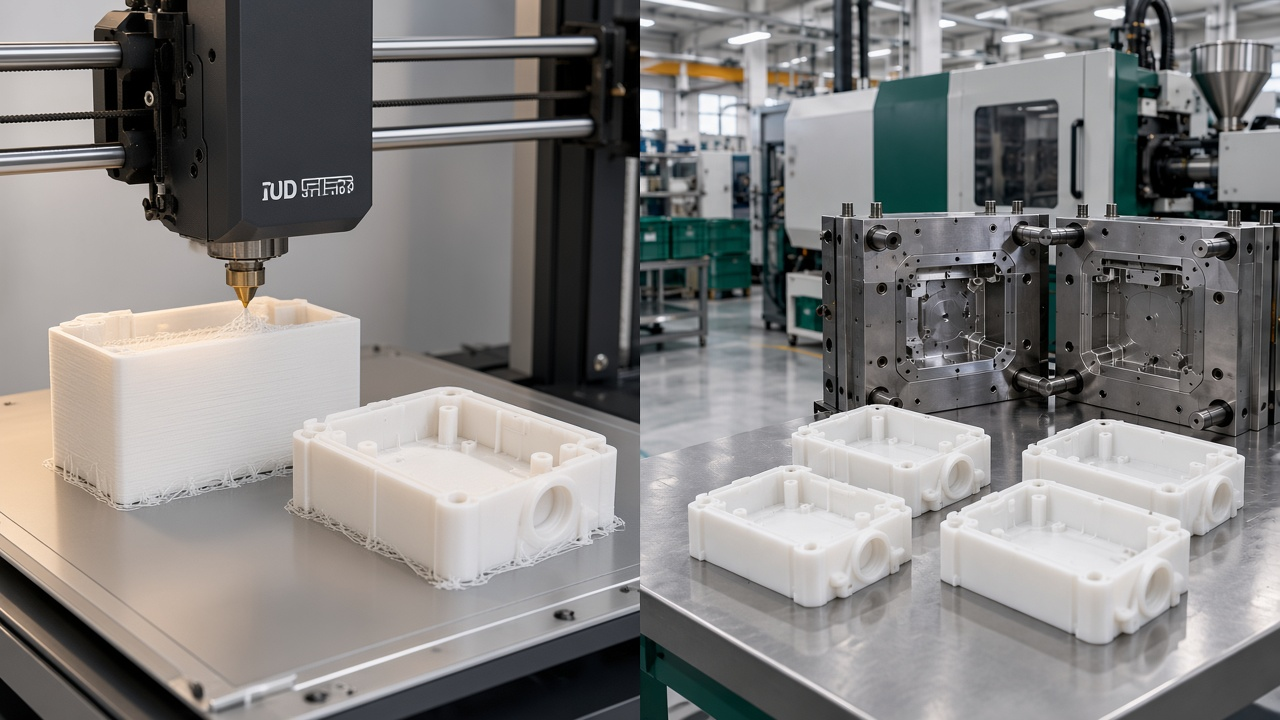
Same part geometry, two processes: additive prototype versus molded production.
3D printing, also called additive manufacturing, builds a part layer by layer from a digital file. Injection molding melts plastic pellets, injects the molten material into a steel or aluminum mold cavity under pressure, cools it, and ejects the finished part. Both processes make plastic parts, but they reach that result by very different routes.
The core trade-off is simple. 3D printing asks for little upfront investment and gets you parts quickly, but each part costs about the same as the last one. Injection molding asks for a larger upfront tooling investment and a longer wait before the first shot, but once the mold is running, each additional part becomes much cheaper. Choosing well means knowing where your project sits on that curve.
The right process is rarely the one with the lowest unit price on paper. It is the one that matches your quantity, design stability, and timeline at the stage you are in right now.
This guide is written for product engineers, designers, procurement teams, and startup founders who already have a part in mind, whether that is a CAD model, a drawing, a sample, or a project plan. We share the same questions we hear from customers every week, and we explain how we would think through them on a real project.
Quick Comparison: 3D Printing vs Injection Molding at a Glance
The table below summarizes the criteria that usually decide the question. Treat it as a starting point. The best answer depends on where your project is today and how many parts you expect to make.
| Criteria | 3D Printing | Injection Molding |
|---|---|---|
| Setup cost | Low. No hard tooling; mainly file preparation and build setup. | Higher. A mold is required, from lower-cost soft or aluminum tooling to hardened steel. |
| Lead time to first part | Usually short, often days depending on geometry and queue. | Driven by mold design and build time before the first production shots. |
| Unit cost | Relatively flat as volume grows. | Falls as volume rises, once the tooling cost is spread across more parts. |
| Geometry | Strong for internal channels, lattices, and consolidated assemblies. Supports may need removal. | Needs draft, uniform walls, and planned parting lines. Undercuts add cost or complexity. |
| Materials | Depends on the printing technology and what is available for that process. | Very wide thermoplastic range, including many engineering resins. |
| Typical volume | Prototypes through low volume. | Medium to high volume production. |
| Consistency | Can vary with build orientation, batch, and process settings. Needs tighter control for repeat runs. | High repeatability once the process is validated and the mold is stable. |
How 3D Printing Works
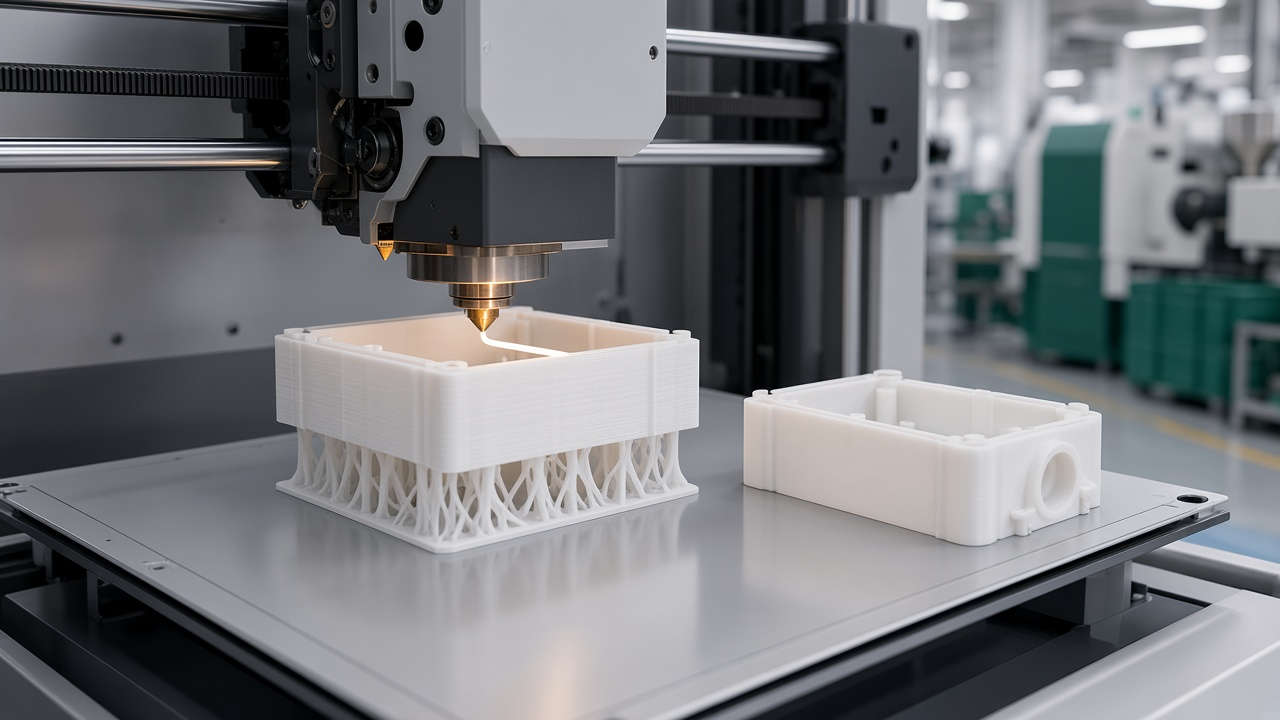
3D printing builds the part layer by layer—fit for prototypes and small batches without tooling.
A printer slices your CAD model into thin layers and builds the part one layer at a time. Several technologies are common for plastic parts, and each suits different jobs:
FDM (Fused Deposition Modeling)
Extrudes thermoplastic filament. Often used for fit checks, jigs, and early geometry validation.
SLA (Stereolithography)
Cures liquid resin with a light source. Known for fine detail and smooth surfaces on visual models.
SLS (Selective Laser Sintering)
Fuses powdered polymer with a laser. Supports complex functional parts without dedicated support structures.
MJF (Multi Jet Fusion)
Fuses powder using a jetted agent and heat. A common route for functional nylon parts in small batches.
The main strength of printing is freedom. There is no mold to design or machine, so a design change becomes a new file rather than a new tool. That makes it excellent for early iterations, custom parts, and geometry that would be difficult to mold, such as internal lattices or channels that cannot be pulled from a cavity.
Engineering Note
Printing has limits. Each part takes machine time, so per-part cost stays close to constant. Some processes produce anisotropic strength, meaning the part is weaker between layers than along them. Surface finish also varies by technology, and some parts need support removal and finishing before they look or fit right.
How Injection Molding Works
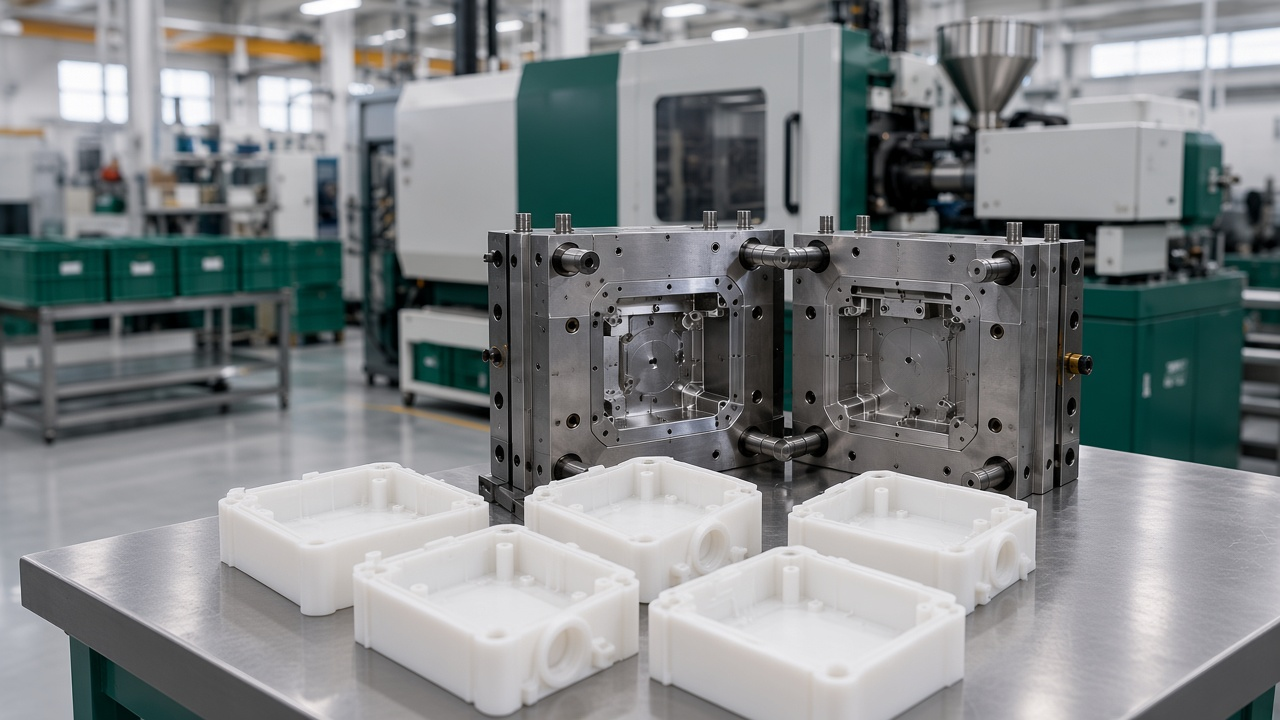
Once the steel tool is ready, injection molding repeats thousands of identical parts at a low piece price.
Every molded part goes through the same repeating cycle. Once the process is dialed in, the cycle is fast and predictable.
-
1
Clamping
The two mold halves close and the press applies enough clamp force to hold them shut during injection.
-
2
Injection
Molten plastic is forced through the gate and fills the cavity under controlled pressure and speed.
-
3
Cooling
The part solidifies inside the cooled mold. Wall thickness and cooling channel layout strongly influence cycle time.
-
4
Ejection
Ejector pins push the solid part out, the mold closes again, and the next cycle begins.
Molding is strong where repeatability matters. Cycle times are short once the process is stable, surface quality is consistent across a large run, and the range of usable thermoplastics is broad. The unit cost can be very low at volume.
The constraints come from the physics of the process. Parts need draft angles so they release from the mold. Wall thickness should be as uniform as practical to avoid sink and warp. Undercuts require side actions or sliding cores, which add tooling complexity. And the tooling itself takes time to design, machine, and validate.
Design Warning
A printed prototype that looks right is not proof of moldability. Before you commit to a mold, check draft, wall thickness, undercuts, and gate location. Problems found in a DFM review cost far less than problems found in steel.
Cost Comparison
Comparing unit price alone is misleading. The real question is total cost as a function of quantity. A printed part may look expensive per piece but cost nothing to tool, while a molded part may look cheap per piece but require a significant investment before the first good part arrives. Always model total cost across the quantities you actually expect to buy.
Tooling Costs
3D printing requires no hard tooling, which is its clearest cost advantage at low quantities. Injection molding requires a mold, and its price depends on several choices. Tool material matters: softer or aluminum tooling generally costs less and is faster to make than hardened steel, but it has a shorter service life and is better suited to lower volumes. Cavity count matters too. A multi-cavity mold produces more parts per cycle and can lower the piece price at volume, but it costs more to build. Part complexity, number of side actions, and surface finish requirements all push tooling cost up or down.
Material Costs
Raw material cost per kilogram is only part of the picture. In printing, the material cost of a part includes waste from support structures, failed builds, and purge or unused powder that may or may not be reusable depending on the process. In molding, runners and sprues are a form of waste too, but many systems can regrind and reuse them within limits set by the material and the part requirements. Ask your supplier how waste is handled and whether regrind is allowed for your material and application.
Recycled and bio-based resin options are increasingly available for both processes. Their suitability depends on mechanical, thermal, and regulatory requirements of the final part, so they should be validated against your datasheet targets rather than assumed equivalent.
Piece-Part Price
For printing, the piece price stays roughly flat because each part consumes similar machine time and material. For molding, the piece price falls as quantity rises, because the tooling cost is amortized across more parts and the marginal cost per shot is low. The basic cost models look like this:
3D Printing
Total cost = Q × Pprint
Q is quantity and Pprint is the all-in printed piece price, including post-processing.
Injection Molding
Total cost = T + Q × Pmold
T is the tooling cost and Pmold is the molded piece price, including material and secondary operations.
Post-Processing and Finishing
Printed parts often need work after the build. Support removal, bead blasting, sanding, vapor smoothing, priming, and painting all add labor and time. These steps can narrow the cost gap when a cosmetic surface is required, because a molded part can come out of the mold with a finish that needs little or no rework. On the other hand, a printed functional prototype that only needs to check fit may need no finishing at all, which keeps its price low.
Molded parts also have secondary operations, including trimming gates, polishing, painting, printing, engraving, bonding, and assembly. The key is to include all of these in the quote comparison. A cheap printed part that needs hours of hand finishing may cost more than the sticker price suggests.
Quote Tip
When requesting quotes for both routes, specify the finish level, color, texture, and any assembly steps. Otherwise suppliers may quote different scopes, and the price comparison becomes meaningless.
Break-Even Analysis
The crossover quantity is the point where the molded route becomes cheaper than printing. Setting the two total cost models equal gives a simple formula:
Break-even quantity Q = T ÷ (Pprint − Pmold)
Valid only when Pprint is greater than Pmold.
To use it on your own project, follow these steps:
-
1
Get a printed quote and a molded quote for the same design. Include finishing in both.
-
2
Separate the molded quote into tooling and piece price. Tooling is T; piece price is Pmold.
-
3
Calculate Q. Divide tooling by the difference between the printed and molded piece prices.
-
4
Compare Q with your realistic demand. Add a margin for design changes, because a late change can make the mold obsolete.
If you prefer to work in a spreadsheet, the same logic can be built inline with three input cells (T, Pprint, Pmold) and one output cell for Q. We are happy to share a template with customers who send us their numbers during quotation. The worked example later in this guide uses this same formula.
Speed and Lead Time
Speed is not one number. It includes how long it takes to get the first part, how quickly you can change the design, and how fast the process can produce the volume you need. Each process wins a different part of that timeline.
Design and Setup Time
A printed part can move from CAD file to physical part quickly. Design iteration is equally fast, since you export a new file, print it, and test it again. This short loop is the main reason engineers use printing in early development. For molding, the design work is heavier. The part must be designed for moldability, the mold must be designed around the part, and the design must be frozen before tooling begins. Design iteration after tooling usually means tool modifications, which take time and money.
Tooling Lead Time
Mold lead times vary with tool material, cavity count, complexity, and the shop's schedule. Simpler aluminum tooling is typically faster than a multi-cavity steel mold with side actions. We confirm the tooling schedule during quotation, so you can plan the first shots against your program timeline. Printed parts, by contrast, can often be in hand within a day or two depending on geometry, technology, and queue, which is why printing is usually the first answer when a schedule is tight.
Production Throughput
Throughput is where molding pulls ahead. Once a mold is running, cycle time determines how many parts you can make per hour, and multi-cavity tools multiply that output. Printing throughput depends on build volume, layer height, and the number of parts that fit in each build. Adding machines scales printing capacity, but the work still happens part by part or batch by batch. For large orders, molding typically delivers more parts per hour of machine time by a wide margin.
Speed to Market Decisions
Sometimes a few weeks of faster delivery is worth a higher unit price, and sometimes it is not. A printed batch that reaches a trade show or pilot customer in days can justify a premium if it wins a decision that would otherwise be delayed. A printed batch used as the main production supply for months rarely makes sense, because the cost per part will keep the program expensive. Ask what the schedule is actually protecting. If it is a validation milestone, print. If it is a sustained supply commitment, plan for tooling.
Materials and Mechanical Properties
The material decides how your part behaves in service. Strength, stiffness, impact resistance, heat resistance, flexibility, chemical resistance, UV exposure, and electrical insulation all depend on the polymer and its formulation. Choosing the right material is often more important than choosing the right process, so start there.
Molded parts generally have more isotropic properties than printed parts, because the polymer melt flows and solidifies in a controlled way across the whole part. Printed parts, especially from layer-based processes, can be weaker along the build direction. Orientation matters, and so does the specific printing technology. Functional prototypes can be built with production-grade resins or thermoplastics to test real performance, but you should still confirm that the printed material and process reflect the final material's behavior.
| Application | Materials to Discuss | Typical Route |
|---|---|---|
| Enclosures and housings | ABS, PC | Print for fit and assembly checks; mold for volume. |
| Wear and sliding parts | POM, PA, PBT | Machine or mold, depending on quantity and tolerance needs. |
| Clear covers and light guides | PMMA, PC | Mold for production surface quality; print for early form checks. |
| High-temperature components | PEEK, PPS, PSU, PPSU | Confirm the route per part; often machined for prototypes and molded for volume. |
| Chemically exposed or flexible parts | PP, PE, HDPE | Mold for repeat production; validate the material against your environment. |
Material availability differs by process and by supplier. Always check the datasheet for the exact grade and confirm that the process you choose can deliver the properties you need.
Design Freedom and Part Complexity
Each process rewards different design thinking. Understanding that difference early saves rework later.
Printing: complexity without tooling
Lattices, internal channels, and organic shapes are practical to print. Several components can sometimes be consolidated into one printed part, reducing assembly steps and fasteners.
Molding: repeatable geometry at scale
Molding excels at thin, ribbed, and precisely repeated features once the design respects moldability rules. The payoff is consistent geometry across thousands of parts.
Where injection molding requires design-for-manufacturing discipline, the rules are well established. Draft angles let the part release from the mold, so vertical walls need taper in the direction of pull. Uniform wall thickness keeps cooling even and reduces sink marks, voids, and warp. Ribs add stiffness without thick sections, usually at a fraction of the wall thickness of the parent wall. Gates must be placed where the melt can fill the cavity evenly and where the gate mark will not compromise appearance or function. The parting line, where the mold halves meet, should be planned around the part's visible and functional surfaces. Undercuts need side actions or sliding cores, or the design should be changed to remove them.
Practical DFM Tips for the Move From Prototype to Production
Designers who print prototypes often plan to mold later. The following checks make that transition far smoother.
Add draft to every pull direction
Printed prototypes hide draft problems. Build draft into the model before tooling starts.
Hold wall thickness steady
Replace thick bosses and sections with ribs or cored sections to protect cooling and dimensional stability.
Map undercuts early
Snap features and side holes are easy to print and expensive to mold. Decide which ones are essential.
Plan gate and parting line before the CAD is frozen
Gate location affects appearance, fill, and weld lines. Agree on it with your molder during DFM review.
Specify tolerances only where they matter
Tight tolerances on every feature raise tooling and inspection cost. Call out the critical dimensions on your drawing.
Volume, Scalability, and Consistency
Consistency is what separates a prototype from a production part. A molded process that has been validated produces parts with very similar dimensions and surface finish from the first shot to the ten-thousandth, provided the tool, material lot, and process parameters are controlled. That repeatability is why molding is the default for long-running products.
Printing can be very accurate, but batch-to-batch variation is more common. Build orientation, machine calibration, resin or powder condition, layer settings, and cooling in the build chamber can all shift results. Quality control for printed production therefore relies more on process monitoring, first-article checks, and sample-based inspection across batches. Scaling printing means scaling machines, operators, and inspection capacity together.
Volume bands are a useful way to frame the decision:
Prototype
Typically 1 to 20 parts. Speed and low startup cost come first. Printing, CNC machining, and laser cutting are common.
Low Volume
Often tens to a few thousand parts. Printing and CNC cover lower end, while the economics of tooling are evaluated against demand.
Bridge Production
Parts needed while production tooling is being built or validated. Printed molds, inserts, and short-run tooling can help here.
High Volume
Thousands to very large runs. Injection molding, blow molding, and rotational molding dominate as the cost per part and throughput matter most.
The Middle Path: Hybrid Approaches
Many projects do not need to choose one process for their whole life. The most efficient route often combines printing and molding at different stages. The middle ground is where the decision is hardest, because the quantity sits in the zone where neither pure option is clearly best.
3D-Printed Molds and Bridge Tooling
Printed molds or inserts can produce a small run of molded parts before committing to metal tooling. This bridge approach is useful when you need roughly 100 to 500 parts to validate the market, test assembly, or supply a pilot program, but the design is not yet stable enough for hardened steel. The mold is made by printing, then used in a molding press with the appropriate material.
Be realistic about limits. Printed tooling materials have lower heat resistance and wear resistance than metal, so mold life is limited and depends on the polymer being processed, the pressure, and the part geometry. Cycle times are usually longer than production tooling, and surface quality may not match a steel mold. Treat printed tooling as a bridge with a defined number of shots, not as a substitute for production tooling.
Why It Matters
Bridge tooling lets you test molded geometry, shrink, and assembly fit at a fraction of the risk of cutting steel. If the design changes, you lose a small tool rather than a large investment.
When to Combine Both Processes
A staged workflow uses each process where it is strongest. Print for design validation while the geometry is still changing. Use machined or bridge parts to test material and function. Commit to molding once the design is frozen and the volume forecast is reliable. This reduces risk because each stage answers a different question before the next investment is made.
-
1
Validate form and fit with printed parts
Iterate quickly and catch obvious problems before any tooling spend.
-
2
Test function with production-grade material
Confirm strength, heat, chemical, or wear performance against your requirements.
-
3
Run a bridge batch
Use printed molds or short-run tooling to supply pilot customers or early production while steel is in progress.
-
4
Commit to production tooling
Once the design is frozen and volume is forecast with confidence, move to steel or aluminum tooling for the long run.
Sustainability and Waste Considerations
Sustainability depends on how the part is made, how much waste it creates, how it is used, and whether it can be recycled at end of life. Printing and molding have different profiles on each point, and neither is automatically greener.
On material waste, printing generates support structures, failed builds, and in some powder processes unused powder that may or may not be reusable. Molding generates runners, sprues, and rejected shots, which are often ground and reused where the material and part requirements allow it. Energy use per part is generally lower for molding at high volume because cycle times are short, while printing can be efficient for small quantities that would otherwise require tooling. Actual energy use depends on the machine, part size, and material, so compare figures for your specific part rather than relying on generalized claims.
Recycled feedstock is an option in both routes. Recycled or bio-based resins can be used in molding and some printing materials, but properties must be validated for the application. Lifecycle impact is also shaped by design. Lightweighting a part reduces material use in every unit produced. Consolidating several components into a single part reduces assembly, fasteners, and packaging. Both choices can matter more than the process itself.
Reporting Note
If your organization must report material content, recycled content, or lifecycle data, tell your supplier early. Documentation requirements differ by market and product type, and they should be agreed before quoting.
Real-World Testing: A Side-by-Side Example
The fairest way to choose is to run a comparison on your own part. Use one CAD file, one material target, one finish specification, and one quantity forecast. Send the same package to each route, then record the same metrics for each. Changing the design between routes invalidates the comparison.
Recording Template
| Metric | 3D Printing Route | Molding Route |
|---|---|---|
| Time to first good part | [enter days] | [enter days] |
| Tooling or setup cost | [enter amount] | [enter amount] |
| Piece price, all finishing included | [enter amount] | [enter amount] |
| Dimensional result on critical features | [pass / fail, measured values] | [pass / fail, measured values] |
| Surface and cosmetic rating | [rating and notes] | [rating and notes] |
| Functional test result | [result] | [result] |
Worked Example
The numbers below are illustrative only. They assume a small housing with a single molded cavity and a printed piece price that already includes finishing. Replace every value with figures from your own quotes.
Assumptions (illustrative)
- Tooling cost T = 6,000 (single-cavity mold, assumed)
- Printed piece price Pprint = 12.00 per part, finishing included
- Molded piece price Pmold = 1.20 per part, finishing included
| Quantity | Printed Total | Molded Total | Lower Cost |
|---|---|---|---|
| 100 | 1,200 | 6,120 | Printing |
| 500 | 6,000 | 6,600 | Printing, narrowly |
| 1,000 | 12,000 | 7,200 | Molding |
Applying the break-even formula gives Q = 6,000 ÷ (12.00 − 1.20) = 6,000 ÷ 10.80, or about 556 parts. Below that quantity, printing is cheaper in this scenario. Above it, molding wins. In this example, the 100 to 500 part range sits close to the crossover, which is exactly where a bridge batch or a validation run is most valuable. Notice that the 500-part result is only slightly favorable to printing, so a small change in price or a design revision could flip the decision.
Substitute Your Numbers
Use your own tooling quote, piece prices, and realistic demand forecast. Then rerun the table. Your crossover quantity is the number that matters, not ours.
Decision Framework: Match the Method to the Job
Use the guidance below as a first pass. Each route has a clear home, and the boundary between them is set by quantity, design stability, and schedule.
Choose 3D Printing If
You need prototypes, custom parts, or fewer than about 100 units. Startup costs stay low and parts arrive quickly.
Your design changes often. A new file is cheaper than a new mold.
Choose a Hybrid Approach If
You need 100 to 500 parts to validate the market or design before committing to tooling. A bridge batch limits risk while you learn.
Choose Injection Molding If
You need high volumes, tight repeatability, or long-term production stability. Unit cost and consistency reward the tooling investment.
Quick Checklist
Apply this to your own project
Forecast quantity for 12 to 24 months. Not just the first order.
Confirm the design is frozen. If not, validate with printing first.
Run a DFM check for moldability. Draft, walls, undercuts, and gate location.
Get both quotes with identical finishing scope. Split tooling from piece price.
Calculate the crossover quantity. Compare it with forecast demand.
Define the material and performance targets. Check the datasheet before choosing the route.
Emerging Trends to Watch
The boundary between printing and molding is moving. Several developments are worth tracking if you plan products over multiple years.
-
Faster and more economical aluminum tooling
Hybrid tooling workflows are making the bridge between prototype and production shorter.
-
Industrial printers with higher throughput and repeatability
Better process control is narrowing the gap for small-batch functional production.
-
AI-assisted design and simulation
Tools that flag moldability issues and suggest print orientation can shorten the design loop.
-
Multi-material and large-format printing
Broader material options and larger build volumes open up more functional and structural applications.
-
Sustainability pressure and reporting
Recycled resins and regulatory reporting are becoming part of supplier selection, for both processes.
Frequently Asked Questions
Is injection molding better than 3D printing?
It depends on volume and design stability. Molding wins on unit cost at scale, while printing wins on flexibility and low-volume speed.
Can a 3D printer do injection molding?
Not directly. A printer can make molds or inserts for low-volume molding, but it does not inject molten plastic into a cavity at production rates.
Why did 3D printing fail?
It has not failed in the way the question suggests. Printing has not replaced molding for mass production because of speed, per-part cost, and material limits, but it has succeeded in prototyping, customization, and niche production. Projects that disappoint usually trace back to a few causes: a design that was not adapted to the process, the wrong material for the load or environment, or unrealistic expectations about volume and unit cost.
What is illegal to 3D print?
Laws vary by jurisdiction. Restricted categories commonly include firearms components, counterfeit currency, and items that infringe protected trademarks or patents. Check the rules where you manufacture and sell, and consult legal counsel for any specific case before you start a project.
Conclusion: Making the Right Call
The choice between 3D printing and injection molding comes down to a handful of trade-offs. Printing gives you low startup cost, fast first parts, and design freedom, but its per-part cost stays high and its consistency depends heavily on process control. Molding asks for tooling and a design built for the process, but it delivers low unit cost, high throughput, and repeatable quality once it is running. Material choice, finishing scope, and sustainability goals sit on top of those trade-offs.
The best answer often changes across the product lifecycle. A part may begin as a printed prototype, move through a bridge batch, and finally become a molded production component. Planning that path from the start makes each step cheaper and less risky.
Next Steps: Get Expert Help With Your Project
Based in Shenzhen, China, Plasticpartsmfg supports custom plastic parts from single prototypes through low-volume and production runs. We manufacture across 3D printing, CNC machining, injection molding, silicone molding, vacuum casting, blow molding, thermoforming, laser cutting, and rotational molding, and we work with materials including ABS, PP, PE, HDPE, PVC, PC, PMMA, PET, POM, PA, PBT, PPS, PEEK, PSU, and PPSU. That breadth lets us review the printed-versus-molded question on your actual part rather than in the abstract.
Request a DFM review
We check moldability, draft, walls, and gate options before you commit to tooling.
Review material datasheets
Confirm grades and properties against your performance targets for each route.
Model your break-even
Use the formula in this guide with quoted tooling and piece prices to find your crossover quantity.
Start Your Quote
Send your CAD files or drawings for a printed-versus-molded comparison
Share STEP, STP, IGES, X_T, STL, DXF, DWG, or PDF files, along with your material requirements, dimensions, tolerances, surface finish, and forecast quantity. We will help you choose the right route for your stage and quantity.